Retail Digital Signage Installation Tips: A Comprehensive Guide
Digital signage has become a cornerstone of modern retail strategy, helping businesses captivate cus
Created by: Buluwa Adebayo-Ashaolu /
Vetted by:
Otse Amorighoye
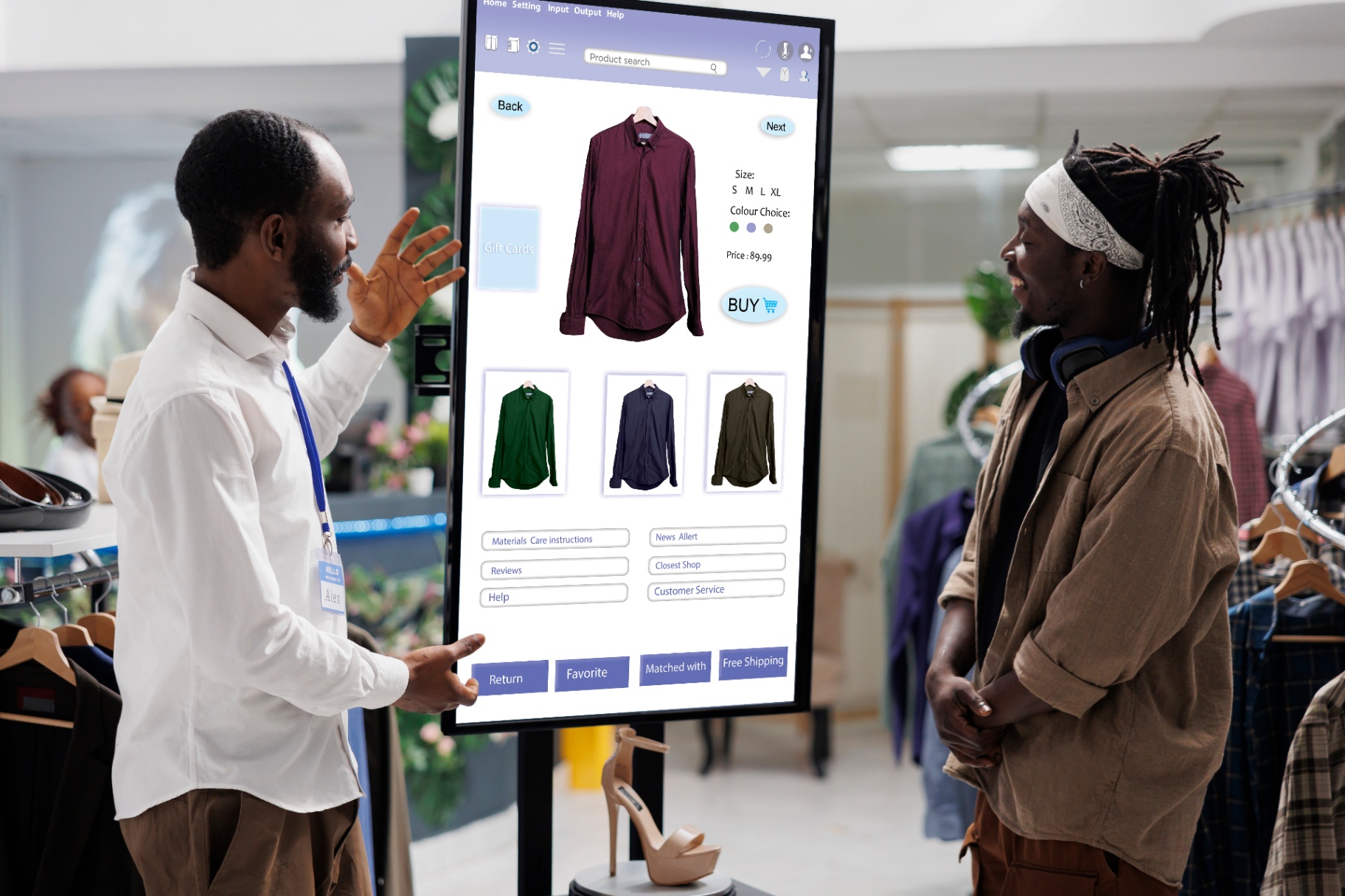
Digital signage has become a cornerstone of modern retail strategy, helping businesses captivate customers, enhance brand presence, and boost sales. Whether you're a small boutique or a multinational chain, installing digital signage effectively can significantly impact customer experience and operational efficiency. This guide provides practical tips for installing retail digital signage, ensuring your investment delivers maximum value. Before diving into installation tips, it’s essential to understand what digital signage entails. Digital signage refers to the use of digital displays, such as LED or LCD screens, to present content like advertisements, product information, or brand messaging. These systems are dynamic, allowing for real-time updates and tailored messaging. Key benefits include: Increased customer engagement through visually appealing content. Improved sales by showcasing promotions or upsell opportunities. Streamlined communication between your brand and customers. However, achieving these benefits requires strategic planning and execution. Determine what you aim to achieve with your digital signage: Are you looking to drive sales? Provide wayfinding assistance? Enhance the customer experience with interactive features? Clear objectives will guide your decisions regarding hardware, software, and content. The location of your signage plays a critical role in its effectiveness: Customer flow: Observe how customers move through your store and identify high-traffic areas. Visibility: Ensure the signage is easy to see from various angles. Lighting conditions: Avoid glare by choosing screens with anti-reflective properties or adjusting the placement to minimize direct light exposure. Understanding your target demographic helps tailor the content and placement of your digital signage. For instance: Tech-savvy younger audiences might prefer interactive kiosks. Families might appreciate signage with kid-friendly designs in toy sections. Selecting the right screen is crucial: LCD Displays: Cost-effective and versatile for indoor use. LED Displays: Ideal for larger spaces or outdoor use due to brightness and scalability. Touchscreens: Perfect for interactive applications like product catalogs or self-service kiosks. Choose a screen size that matches the viewing distance and purpose. Larger screens are suitable for areas like storefronts, while smaller screens work well for checkout counters or fitting rooms. Consider the following mounting solutions based on your space and design: Wall mounts: Save space and ensure stability. Ceiling mounts: Ideal for open areas or where wall mounting isn’t feasible. Floor stands: Provide flexibility and mobility for temporary displays. Ensure the screen has the right ports and connectivity options, such as: HDMI for video input. USB for local content updates. Wi-Fi or Ethernet for remote management. The software platform you select should: Support remote content management. Offer scheduling features for time-sensitive promotions. Integrate with analytics tools for performance tracking. Popular options include Scala, BrightSign, and NoviSign. Effective content is at the heart of digital signage success: Keep it concise: Retail environments are fast-paced; customers won’t spend long reading. Use high-quality visuals: Poorly designed content can detract from your brand image. Include calls to action: Encourage customers to act, whether it’s visiting a specific aisle or scanning a QR code. Update regularly: Outdated content can reduce credibility and customer interest. Messy cables are both unsightly and hazardous. Use cable organizers, conduits, or wireless solutions to maintain a clean setup. Additionally, position power outlets strategically to minimize visible wiring. Ensure screens are easily accessible for maintenance but out of reach of tampering or accidental damage. This is especially important for screens in children’s sections or high-traffic areas. Test all components, including hardware, software, and connectivity, before the official installation. A dry run helps identify potential issues, saving time and resources later. Adjust brightness and contrast settings based on the store’s lighting conditions. A screen that's too dim won’t grab attention, while one that's too bright might cause discomfort. Install screens at eye level whenever possible. For interactive screens, ensure they’re positioned for comfortable use by people of varying heights, including those in wheelchairs. Check for any local codes or regulations regarding digital signage, such as zoning restrictions or electrical safety requirements. Non-compliance can lead to fines or forced removal. Avoid blocking fire exits or pathways with digital signage installations. Use fire-resistant materials where necessary. Ensure wall or ceiling mounts can handle the weight of your screens to prevent accidents. Use analytics tools to track the effectiveness of your digital signage. Metrics like customer engagement, dwell time, and sales conversion rates can provide insights for improvement. Regularly clean and inspect your screens to maintain their functionality and appearance. Schedule software updates and content refreshes as part of your routine. Ask customers for their opinions on the signage. Understanding their preferences can help you tailor content and placement for maximum impact. If you anticipate expanding your store or adding more locations, choose a scalable signage solution. Cloud-based software platforms make it easy to manage multiple screens across various locations. Stay ahead of the curve by incorporating advancements like: AI-driven content: Personalize content based on customer demographics or behavior. Augmented reality (AR): Create interactive experiences that blend the physical and digital worlds. Voice interaction: Allow customers to interact with signage using voice commands. Crowded screens can overwhelm customers. Stick to simple, visually appealing messages. Stale or irrelevant content reduces the value of your digital signage. Regularly update content to reflect current promotions, seasons, or events. Digital signage systems can be vulnerable to hacking. Use secure networks and regularly update passwords to protect your content. A high-end fashion retailer used digital signage to display seasonal collections. By placing screens near entrances and fitting rooms, they saw a 20% increase in customer engagement with new arrivals. A grocery chain installed digital signage in high-traffic aisles to promote weekly discounts. This led to a 15% increase in sales of featured products. Installing digital signage in a retail environment is more than just mounting screens. It involves strategic planning, thoughtful execution, and ongoing maintenance. By following these tips, you can create an engaging, effective digital signage solution that drives results and enhances the shopping experience. Remember, the success of your digital signage depends on its ability to align with your brand goals and resonate with your audience. Invest in quality hardware, craft compelling content, and continuously refine your approach to maximize the impact of your digital signage investment.1. Understanding Retail Digital Signage
2. Pre-Installation Considerations
Define Clear Goals
Assess Your Space
Know Your Audience
3. Choosing the Right Hardware
Screen Types
Screen Size
Mounting Options
Connectivity
4. Software and Content Management
Choose Reliable Software
Content Strategy
5. Installation Tips
Plan Cable Management
Prioritize Accessibility
Conduct a Dry Run
Calibrate for Lighting
Focus on Ergonomics
6. Ensuring Compliance and Safety
Adhere to Local Regulations
Fire Safety
Load Testing
7. Post-Installation Best Practices
Monitor Performance
Schedule Maintenance
Gather Customer Feedback
8. Scaling and Future-Proofing
Plan for Expansion
Embrace Emerging Technologies
9. Common Mistakes to Avoid
Overloading Screens with Information
Ignoring Content Updates
Neglecting Security
10. Case Studies: Successful Retail Digital Signage Installations
Case 1: A Fashion Retailer
Case 2: A Grocery Chain
11. Final Thoughts