Ethernet Installation Cost: A Comprehensive Guide
Ethernet remains a foundational component of reliable and high-speed internet connectivity.
Created by: Buluwa Adebayo-Ashaolu /
Vetted by:
Otse Amorighoye
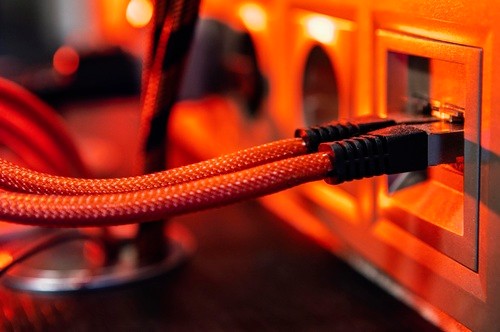
In today’s hyper-connected world, Ethernet remains a foundational component of reliable and high-speed internet connectivity. Whether for a home office, a business environment, or a large enterprise, Ethernet networks ensure seamless data transfer and consistent performance. However, one of the key considerations when setting up a wired network is the cost of installation. This comprehensive guide delves into the factors influencing Ethernet installation cost, typical expenses, and tips to optimize your setup. By the end of this article, you’ll have a clear understanding of how to budget for an Ethernet installation tailored to your needs. Ethernet installation involves setting up a wired network that connects devices like computers, printers, and servers to a central network for data sharing and internet access. The process includes running Ethernet cables, installing connectors, configuring switches, and ensuring that the network operates efficiently. Unlike Wi-Fi, Ethernet provides a stable connection with minimal interference, making it ideal for tasks requiring uninterrupted connectivity. Modern Ethernet cables like Cat6 and Cat6a can handle speeds of up to 10 Gbps, ensuring fast data transfer. A wired connection reduces the risk of unauthorized access compared to wireless networks. Ethernet networks can be easily expanded by adding more cables or devices. Properly installed Ethernet cables can last 10–15 years or longer, providing excellent long-term value. The choice of cable significantly impacts cost and performance. Here’s a breakdown: Number of Cables: The more devices you need to connect, the higher the cost. Cable Length: Long runs of cable increase material costs. Network Size: Larger networks require additional hardware like switches and patch panels. Labor costs vary depending on the complexity of the installation and your location. Typical hourly rates range from $50 to $150. New Construction vs. Retrofit: Running cables in a new building is often easier and cheaper than retrofitting an existing structure. Accessibility: Hard-to-reach areas like walls, ceilings, or underground pathways add to the complexity and cost. Switches: Cost ranges from $50 to $500, depending on the number of ports and performance. Patch Panels: Typically cost $20–$100 each. RJ45 Connectors and Wall Plates: Usually $1–$3 per piece. Post-installation testing ensures that the network performs as expected. Testing equipment and labor may add $50–$200 to the total cost. Single Room Setup: $150–$300 for a single cable run, including labor and materials. Whole-House Wiring: $500–$2,000 depending on the number of rooms and cable runs. Basic Setup: $1,000–$3,000 for a network supporting 10–20 devices. Advanced Setup: $3,000–$7,000 for networks requiring multiple switches and higher-grade cables. Medium-Sized Network: $5,000–$20,000 for networks with 50–100 devices. Large-Scale Network: $20,000–$50,000 or more, particularly for multi-floor buildings or data centers. Pros: Cost-effective for small-scale projects. Full control over the installation process. Cons: Requires technical knowledge and tools. Mistakes can lead to poor performance or costly rework. Costs: Tools like crimpers, testers, and cable strippers cost $50–$200. Materials like cables, connectors, and wall plates cost $100–$500. Pros: Ensures compliance with industry standards. Saves time and effort for complex setups. Offers warranties and post-installation support. Cons: Higher upfront cost. Costs: $500–$3,000 for residential setups. $5,000–$50,000 for business or enterprise installations. Plan Ahead Design a network layout that minimizes cable lengths and reduces material costs. Include provisions for future expansion. Choose the Right Cable Match the cable type to your speed and distance requirements. Avoid overpaying for unnecessary performance. Bundle Cables Running multiple cables simultaneously reduces labor costs. Reuse Existing Infrastructure Use existing conduits or pathways to save on installation time and materials. Get Multiple Quotes Compare prices from different contractors to find the best deal. Invest in Quality Avoid cheap materials that may require frequent maintenance or replacement. Nearby electrical lines or devices can cause electromagnetic interference (EMI). Solution: Use shielded cables or maintain proper separation. Improper handling can damage cables during installation. Solution: Use protective conduits and avoid sharp bends. Incorrect terminations can lead to network issues. Solution: Test connections thoroughly after installation. The cost of Ethernet installation depends on various factors, including the type of cable, network size, and labor. While residential setups may cost a few hundred dollars, larger networks can run into thousands or even tens of thousands of dollars. By understanding these factors and following best practices, you can plan an efficient and cost-effective Ethernet installation. Whether you opt for DIY or professional installation, investing in a reliable wired network ensures high performance, security, and scalability for years to come.What is Ethernet Installation?
Why Invest in Ethernet Installation?
1. Reliability
2. Speed
3. Security
4. Scalability
5. Longevity
Factors Influencing Ethernet Installation Cost
1. Type of Ethernet Cable
2. Scope of the Installation
3. Labor Costs
4. Infrastructure and Accessibility
5. Additional Hardware
6. Testing and Certification
Typical Ethernet Installation Costs
Residential Ethernet Installation
Small Office Installation
Large Office or Enterprise Installation
Cost Breakdown of Ethernet Installation
DIY vs. Professional Ethernet Installation
DIY Installation
Professional Installation
Tips to Optimize Ethernet Installation Costs
Common Challenges in Ethernet Installation
1. Interference
2. Cable Damage
3. Miswiring